IoT can make a rental feel ready before a guest opens the door. In this article, I explain how connected tools like smart locks, thermostats, lights, shades, audio, and guest tablets can turn one booking into a smoother stay from arrival to checkout.
Here’s the short version:
- Access starts automatically: guests get time-based entry codes, and staff or service teams can get limited access for set hours.
- Rooms can be set before arrival: temperature, lighting, shades, and music can switch on based on saved guest settings.
- Service can move through one hub: tablets or mobile tools can send requests for chefs, massages, or rides straight to the property team.
- Repeat stays can feel more familiar: past room settings and service habits can be saved and used again, if the guest agrees.
- Privacy and backup plans matter: devices should be on separate networks, profiles should be easy to delete, and locks should still work during Wi-Fi outages.
A few numbers make the point clear: even small delays at check-in or room setup can shape first impressions, and one missed handoff can turn into staff calls, late entry, or guest complaints. When booking data connects to in-room devices, many of those issues drop because the property handles routine tasks on its own.
If you run a luxury rental, venue, or shoot location in the U.S., the core idea is simple: connect access, comfort, and service in one system, then keep it private, stable, and easy to reset between stays.
IoT Guest Personalization: From Booking to Checkout
What Is IoT’s Role In Hospitality Contactless Tech? – Hospitality Management Mastery
sbb-itb-161ccc1
How to personalize the guest journey with smart access and room controls
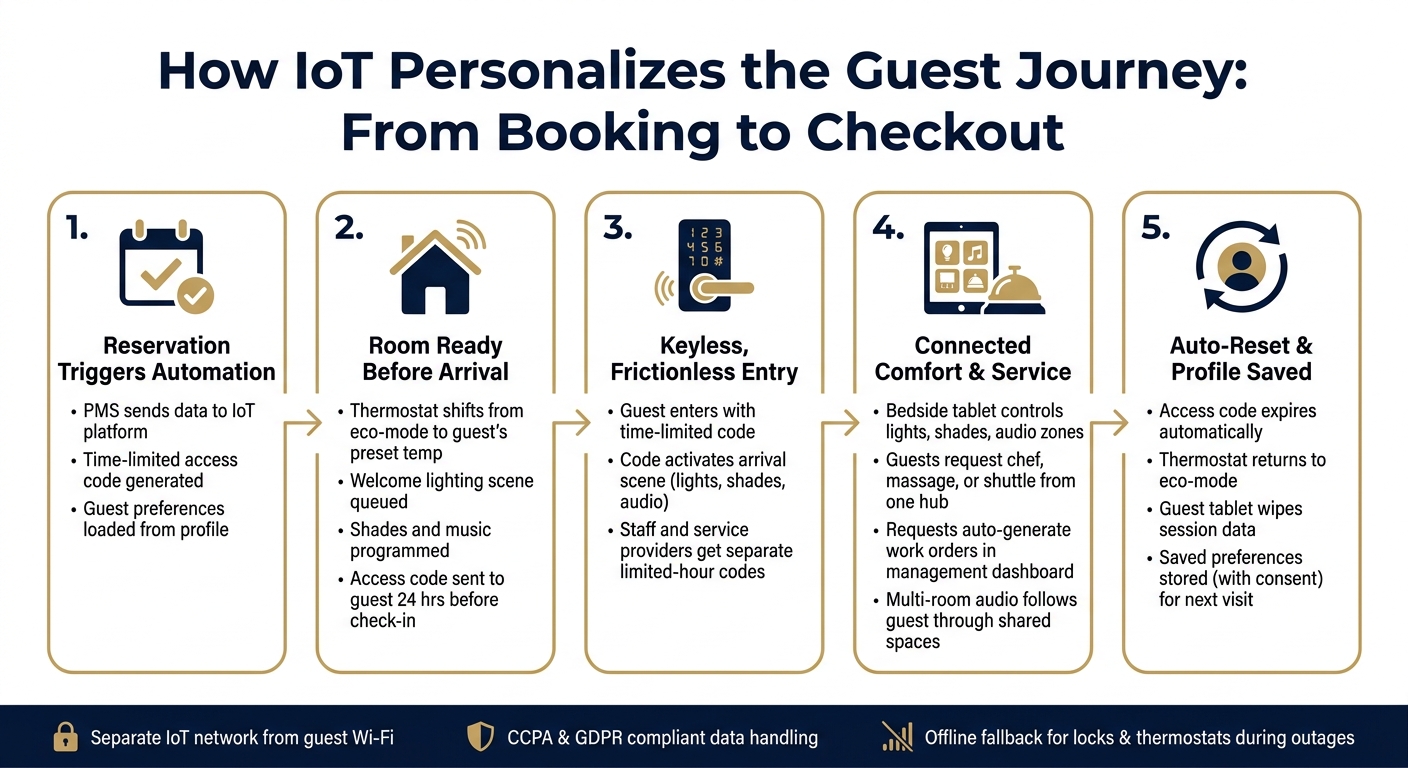
When a reservation is confirmed in the PMS, the property’s integrated IoT platform can create access credentials and set room conditions before the guest arrives.
Use smart locks for a smooth and secure arrival
Before arrival, the guest gets a time-limited access code by email. The code turns on at check-in and expires on its own at checkout. If the vacation rentals also coordinate concierge services, staff-specific codes can be created for authorized team members, with access limited to set hours only.
That means the guest can walk in without waiting at a front desk, while the property still keeps tight control over who can enter and when.
Set lighting, climate, and shades to match guest preferences
Before check-in, the thermostat moves from eco-mode to the guest’s preset temperature, so the room feels comfortable right away. When the guest enters the code, one arrival scene can lift shades, change lighting, and start music at the same time.
It’s the kind of detail people notice fast. Instead of stepping into a room that feels empty or stale, they walk into a space that feels ready for them.
Once the room is set up, the same system can also handle entertainment and concierge personalization.
Reset and test devices between stays
At checkout, the guest’s code expires and the thermostat goes back to eco-mode automatically. Before the next arrival, staff should check device connectivity in a centralized dashboard and confirm backup access. Fast resets help keep each stay consistent from one guest to the next.
Guests should control lights and shades in one tap – through a bedside tablet.
That same automation also supports entertainment and concierge personalization.
How connected devices extend personalization beyond the room
Once arrival is taken care of, the same setup can shape shared spaces and guest service too.
Personalize entertainment, audio, and in-room controls
Multi-room audio keeps playlists moving from room to room without awkward stops. Lighting and shading can work the same way. They can sync to the time of day or preset scenes across shared spaces, which helps the property feel consistent from one area to the next.
That same interface can also put guest controls and instructions in one place. Interactive, multilingual tablets can work like a digital concierge hub. From a single screen, guests can watch video tutorials for more complex amenities, like outdoor cinemas or spa systems, and control lighting, audio zones, and shades.
There’s also a practical side to this. Guest-facing tablets should wipe saved preferences, access details, and concierge history between stays. Then that same hub can move straight into service requests.
Connect concierge requests to property systems
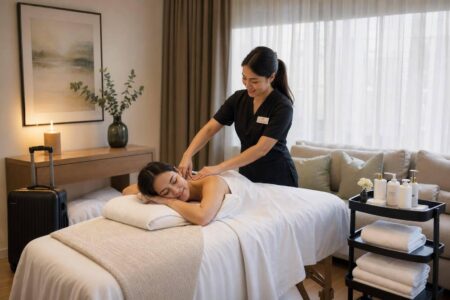
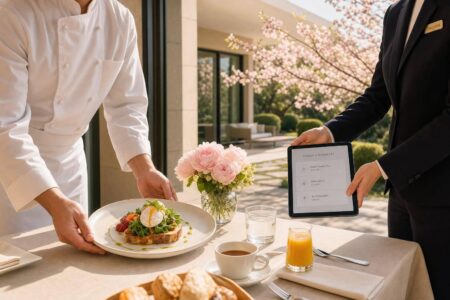
A tablet or mobile interface pushes personalization into service delivery when it connects straight to service workflows. Guests can request a private chef, an in-home massage, or shuttle coordination from one secure digital hub. From there, the request can automatically create a work order or send a notification in the management dashboard. For Essentialyfe stays, this supports private chefs, exotic car rentals, in-home massages, and shuttle coordination.
When service providers arrive, IoT platforms can create time-limited access codes tied to that provider. That keeps the property secure while making entry simple for service teams.
How to use guest data responsibly for better repeat stays
Build repeatable guest profiles from stay data
After checkout, stay data can help make the next visit feel familiar instead of generic. Each stay leaves behind preference data you can use later. If a guest tends to like the same room temperature, lighting setup, and service routine, save those settings for the next visit. When IoT devices are tied to the PMS, those saved preferences can kick in on their own when a returning guest books.
The most useful details are often simple ones: preferred arrival temperature, favorite lighting scenes, usual arrival time based on first-unlock logs, and repeat service requests. Before the guest arrives, apply those saved temperature, lighting, and service settings so the room feels ready from the start.
Protect privacy, security, and system reliability
Repeat-stay personalization only works if guests trust how their data is used. Be plain about where sensors are placed and how data is handled. Let guests turn off occupancy tracking from in-room controls, and follow privacy rules such as CCPA and GDPR. Guests should also be able to view, edit, or delete their stored profile if they ask.
Security matters just as much. IoT devices should sit on a separate network segment from guest Wi-Fi and payment systems. Regular firmware updates, device-level encryption, and role-based access for housekeeping, maintenance, and management are the starting point.
It also helps to plan for outages. Smart locks and thermostats need offline fallback. Store smart-lock access locally so guests can still get in during a Wi-Fi outage, and keep thermostats and other devices on safe fallback settings. That way, saved preferences still work even when the network goes down.
Conclusion: Build a tailored stay with the right IoT basics
Once the arrival, comfort, and service layers are set up, the next step is simple: keep the system easy to run, dependable, and private.
IoT personalization doesn’t mean you need a fully automated property. In most cases, the biggest wins come from a small group of connected tools: smart locks, room controls, and service automation. Those three pieces do a lot of the heavy lifting when the goal is to make each stay feel tailored.
When those systems connect through a central dashboard, one booking can trigger access, comfort settings, and service tasks at the same time. That’s the sweet spot. Guests shouldn’t be thinking about hardware or apps. They should just walk in and feel like everything is ready for them.
The basics below help keep personalization useful without creating extra work for your team.
Key takeaways for luxury rental operators
- Tie every device to the PMS so one booking triggers access, climate, and arrival scenes. If devices sit in separate apps, staff ends up doing more manual work instead of less.
- Automate the basics, then build from there. Set the thermostat two hours before check-in, turn on a welcome lighting scene, and send the access code 24 hours before arrival.
- Train staff to reset devices, check batteries, and handle outages so the system stays dependable between stays.
- Use guest data sparingly and only for approved personalization. Be clear about what you collect, follow privacy laws, and use saved preferences only to improve repeat stays.
The best IoT setup takes booking data and turns it into a stay that already feels ready before the guest arrives.
FAQs
How much setup does IoT personalization require?
IoT personalization usually takes very little day-to-day work after the first setup is done. Systems like smart locks and thermostats are built to be easy for guests to use, so they don’t need any technical training.
In most cases, hosts connect everything once, and the property management software handles the rest. That can include tasks like creating access codes for each booking or changing climate settings automatically based on guest stays.
What happens if the internet goes down?
If the internet goes down, you need a backup plan that keeps the guest experience smooth. Property management should provide a physical lockbox with a standard key, so guests can still get into the rental if smart systems stop working for a while.
That simple analog backup helps maintain the high level of service and reliability guests expect at Essentialyfe properties.
How is guest data kept private?
Guest privacy is protected through secure, encrypted systems, so modern convenience doesn’t come at the cost of data security.
Properties also use enterprise-grade cybersecurity measures, including network segmentation, regular software updates, multi-factor authentication for administrative tasks, and role-based access controls, so staff can only view the data tied to their jobs.